
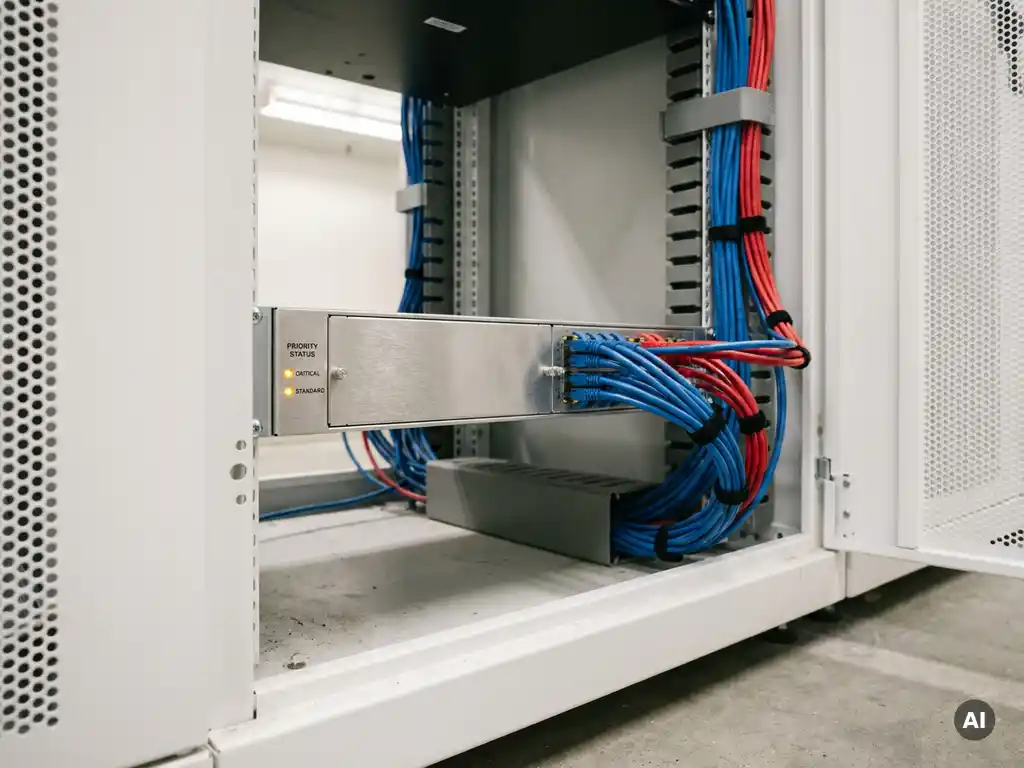
Critical care applications receive network priority through Quality of Service (QoS), a technique that lets you define traffic classes and allocate bandwidth based on urgency. Applications such as patient monitoring, imaging systems, and alarm signaling always receive sufficient capacity, even when the network is under heavy load. In this article, we answer the most frequently asked questions about network priority in healthcare, from traffic classes and segmentation to SD-WAN.
Which healthcare applications are so critical that they deserve priority?
Healthcare applications deserve network priority when an interruption or delay has a direct impact on patient safety or the continuity of care processes. Think of real-time patient monitoring, medical imaging, alarm systems, and communication systems. These are the applications where a second of delay can make a clinical difference.
In practice, healthcare organizations distinguish three levels of criticality:
- Highest priority: real-time patient monitoring, heart rate and saturation monitoring, emergency alarms, and ICU systems. Latency or packet loss is completely unacceptable here.
- High priority: medical imaging such as MRI and CT scans (PACS/DICOM), electronic patient records (EPR/HIS), and telemedicine applications. These systems require stable bandwidth and low latency.
- Normal priority: administrative systems, email, staff applications, and guest Wi-Fi. Delays here are inconvenient, but have no direct clinical impact.
By making this distinction clear, you lay the foundation for a well-considered priority policy. Without that classification, your network treats a video stream from a visitor the same way as an alarm signal from a patient monitor — and that is a risk you do not want to take in a healthcare environment.
What is QoS and how does it work in a healthcare network?
Quality of Service (QoS) is a collection of network techniques that allow you to classify, mark, and manage traffic flows based on priority. In a healthcare network, QoS ensures that time-sensitive traffic such as alarm signaling and patient monitoring always receives sufficient bandwidth and low latency, regardless of the total network load.
QoS works in three steps:
- Classification: the network identifies each data packet based on source, destination, application type, or port. A packet from a patient monitor receives a different marking than a packet from an administrative application.
- Marking: each packet is assigned a priority label, for example via DSCP (Differentiated Services Code Point). Switches and routers read this label and handle the traffic accordingly.
- Queue and bandwidth management: high-priority traffic is processed first. During congestion, low-priority traffic is delayed or buffered, while critical traffic flows through unimpeded.
In a hospital or healthcare institution, this mechanism runs throughout the entire infrastructure: from the access layer at the patient’s bedside, through the distribution layer, to the core routers and WAN connections. Every link in the network must respect the QoS policy, otherwise you lose prioritization at the moment it matters most. View our networking solutions for an overview of how we implement this in practice.
How do you configure traffic classes for medical applications?
Traffic classes for medical applications are configured by first inventorying all relevant applications, linking them to clinical priority, and then configuring DSCP markings and queues on all network devices. The classification must be consistent from edge to core, otherwise the priority policy will not work reliably.
Step 1: application inventory and priority classification
Start with an overview of all systems using the network. Map out which applications are real-time, which move large data volumes, and which only communicate periodically. Link each system to a priority class based on clinical impact in the event of failure or delay.
Step 2: configuring DSCP markings and queues
Assign a DSCP value to each class. A common classification for healthcare networks looks like this:
- EF (Expedited Forwarding): real-time alarm signaling, patient monitoring, VoIP for emergency communication
- AF41/AF42: medical imaging, EPR transactions
- AF21: internal communication tools, video conferencing for non-emergency use
- BE (Best Effort): guest Wi-Fi, email, administrative systems
Then configure the corresponding queues and bandwidth limits on every switch and router. Also set up policers for low-priority traffic, so that it cannot fully claim the available capacity at the expense of critical applications. Afterwards, test the policy under realistic load scenarios, because a configuration that looks correct on paper must also hold up during peak load on the ward.
What is the difference between network segmentation and QoS in healthcare?
Network segmentation and QoS are complementary techniques with a fundamentally different purpose. Network segmentation separates traffic flows from each other to increase security and manageability. QoS manages the priority and bandwidth of traffic within or between those segments. In a healthcare environment, you need both.
Network segmentation in healthcare typically means dividing the network into logical zones via VLANs or microsegmentation:
- A clinical network for medical devices and EPR systems
- A management network for IT infrastructure
- A guest network for visitors and patients
- An IoT network for smart devices and sensors
Segmentation prevents a security incident in the guest network from affecting clinical systems. It is therefore primarily a security measure. QoS then operates within and between those segments: it determines which traffic gets priority when bandwidth is scarce. A healthcare network without segmentation is vulnerable. A segmented network without QoS offers security, but no performance guarantees for critical applications. Together, they form a solid foundation for reliable healthcare infrastructure.
What risks arise without network priority in a healthcare environment?
Without network priority in a healthcare environment, the network treats all traffic equally, which means a large file transfer or a video stream can claim the bandwidth that a patient monitor or alarm system needs. This leads to latency, packet loss, and in the worst case, failure of clinically critical systems.
The specific risks are:
- Delayed alarms: if alarm signals from patient monitoring are delayed by competing traffic, a caregiver may respond too late to a critical situation.
- Degradation of image quality: PACS systems transmitting medical images are sensitive to bandwidth fluctuations. Poor image quality or slow loading times affect diagnostic decisions.
- Unstable EPR connections: interruptions in access to the electronic patient record slow down care processes and increase the risk of errors in medication management or treatment plans.
- Compliance and liability risks: healthcare organizations are required to ensure the availability of critical systems. Demonstrable negligence in network management can have legal and regulatory consequences.
- Reputational damage: structural problems with systems supporting patient care undermine the trust of staff, patients, and regulators.
Good monitoring and network management help you proactively identify and address these risks before they have clinical consequences.
When is SD-WAN a better choice than traditional QoS?
SD-WAN is a better choice than traditional QoS when your healthcare organization has multiple locations, uses diverse WAN connections, and requires dynamic traffic management that traditional routers cannot provide. SD-WAN combines bandwidth management with intelligent routing and application awareness across the entire WAN.
Traditional QoS works well within a single location or over a fixed MPLS connection, but has limitations in more complex environments:
- Configurations must be managed manually per device
- There is little flexibility when connection quality varies
- Application recognition is limited to port- and protocol-based classification
SD-WAN adds intelligence to this. The system recognizes applications based on behavior, dynamically adjusts routing based on the current quality of available connections, and can automatically reroute critical healthcare traffic if a primary connection degrades. For a hospital with multiple sites, outpatient locations, or home care professionals connecting to central systems, SD-WAN offers significantly more control and resilience than a static QoS configuration.
That does not mean traditional QoS becomes obsolete. Within the local network of a healthcare institution, QoS remains the appropriate technique for traffic prioritization at the switch and router level. SD-WAN and QoS complement each other: QoS manages priority at the site level, SD-WAN manages traffic flows across the wide area network. Want to know which approach best suits your situation? Our experts are happy to help you design a network architecture that meets the requirements of your healthcare organization.
Ready for the next step?
Explore our solutions or get in touch directly with one of our experts.